




 For all latest news, follow the Daily Sun's Google News channel.


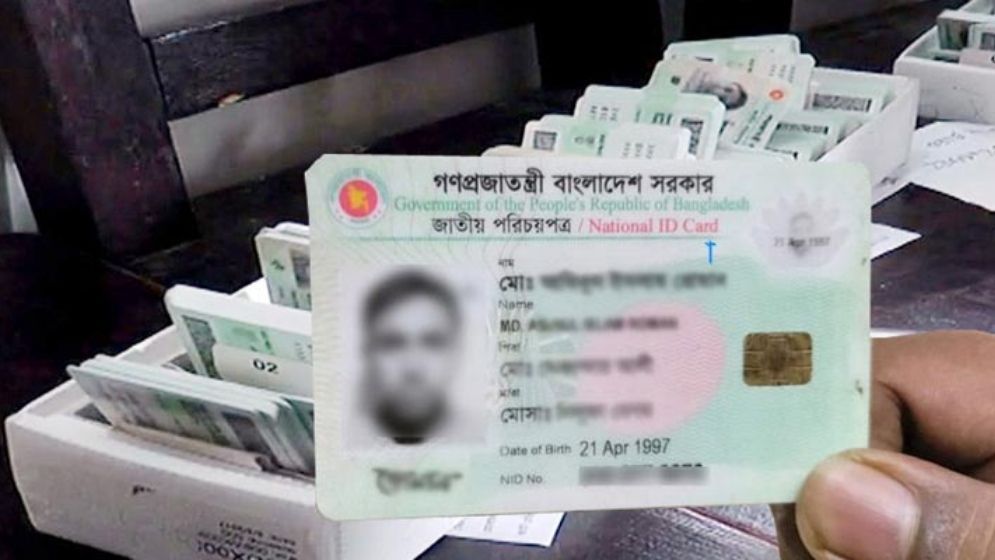
If there are errors in your name, date of birth, parents’ names, address or other information on your National Identity Card (NID), they can cause problems in obtaining passports, banking services, jobs, land registration and other government and private services.
Most
NID information can now be corrected online through the Election Commission’s
NID Services portal. Applicants can submit the required documents online,
although additional documents or verification may be required depending on the
type of correction.
Information
that can be corrected
Applicants
can generally seek corrections to:
- Name
or spelling of name
- Bangla
and English names
- Date
of birth
- Father’s
and mother’s names
- Husband’s
or wife’s name
- Marital
status
- Address
- Profession
- Blood group and some other information
Applicants must submit appropriate supporting documents for each correction.
Documents
to keep ready
Before
applying, keep clear scanned copies or photographs of the documents supporting
the requested correction. Depending on the case, these may include a birth
registration certificate, SSC or equivalent certificate, passport, parents’
NIDs, marriage registration or divorce documents, citizenship certificate and
other government records.
According
to the Election Commission, SSC or equivalent certificates are given priority
in many cases where they are available.
How
to apply online
Step
1: Register and log in
First,
register on the Bangladesh NID portal. After registration, visit the NID
Services portal and log in to your account.
Step
2: Go to the Profile section
After
logging in, click the “Profile” tab in the top-left corner. Your personal
information, including your name, date of birth, place of birth and parents’
names, will be displayed.
Click
the “Edit” button in the top-right corner. Information about the applicable fee
will then appear. Click “Continue” to go to the profile-editing page.
You
will see your personal information again, with a box beside each item. Select
the box beside the information you want to change and edit the relevant
details. You can apply to change information such as your name, date of birth,
blood group, birth registration number and parents’ names.
After
making the necessary changes, click “Next”.
Step
3: Enter the correct information
Enter
the correct information for the item you want to change. Make sure it matches
your government records exactly, as even minor errors in names or dates of
birth can create complications later.
Step
4: Upload supporting documents
Upload
the necessary documents to support your requested correction.
Make
sure the documents are clear and all information is readable. Unclear or
incorrect documents may result in the application being rejected or delayed.
Step
5: Pay the applicable fee
A
fee (around Tk230) is required depending on the type of information being corrected.
Pay
the fee online or through an authorised method, as instructed by the Election Commission. Keep the payment receipt for future reference.
Step
6: Submit the application
Review
all the information and uploaded documents carefully before submitting the
application.
After
successful submission, you will receive an application number. Keep it safe, as
it will be needed to track the application’s progress.
How
long does the process take?
There
is no fixed processing time for all applications. It depends on the type of
correction, supporting documents and the Election Commission’s verification
process.
Some
applications may be processed quickly, while more complicated cases may take
longer. Applicants may also be asked to submit additional documents or appear
at a hearing if necessary.
Things
to remember
1.
Use only the Election Commission’s official website.
2.
Provide accurate and truthful information.
3.
Do not apply for a correction without the necessary supporting documents.
4.
Keep your application number and payment receipt safe.
5.
Never share your OTP or account password with any individual or organisation.
6.
Do not submit repeated applications for the same correction; instead, track the
status of your existing application.
7.
If you face difficulties, contact the relevant upazila election office. You can
also call the National Identity Registration Wing’s call centre at 105 for
assistance.
Correcting NID information online can save
applicants time and reduce the need for repeated visits to election offices.
However, applicants should carefully check all information, submit valid
supporting documents and keep their application details secure to avoid delays
or complications.